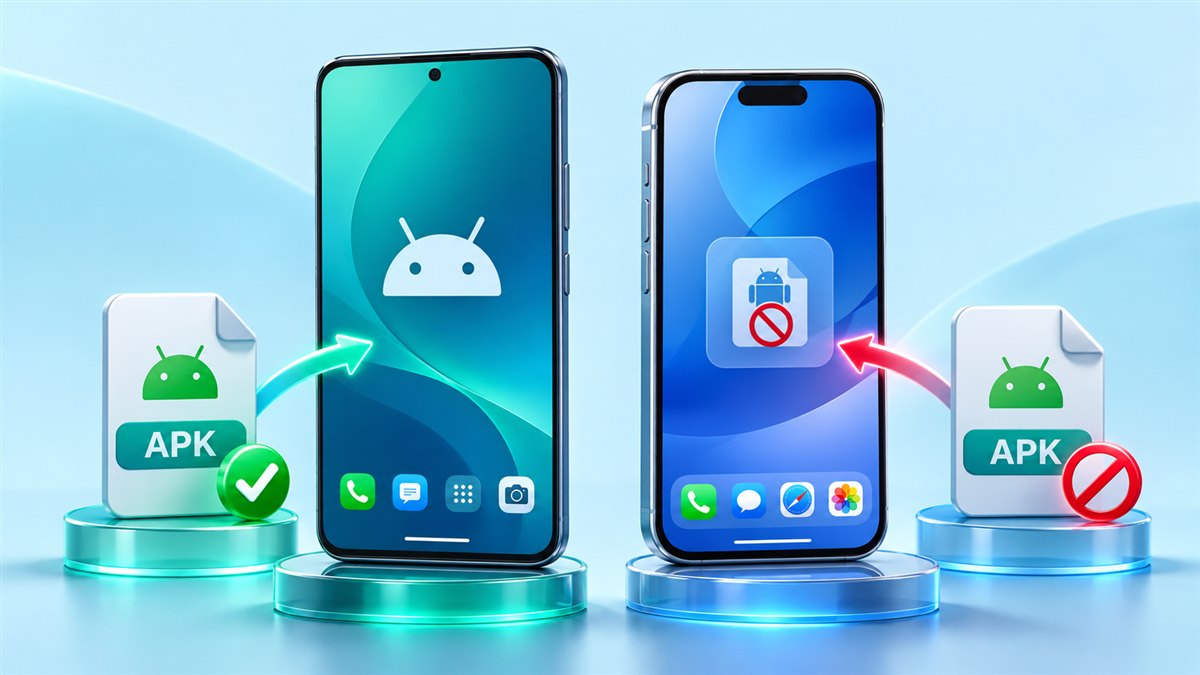
“Auto Clicker MOD APK iOS” is a common search, but it combines two things that do not fit together. APK is Android’s package format. iPhones and iPads use a completely different system, so an APK file cannot be installed on them. Here is what that means and what iOS users can do instead.
Why APK files do not work on iOS
An APK contains code built for Android and its app framework. iOS only installs apps packaged in its own format, and normally only from Apple’s App Store or other channels Apple permits. There is no setting that lets an iPhone open an APK, and websites that claim to offer an “APK for iOS” are mislabelling something.
Be wary of pages that promise an iOS version of an Android mod and ask you to install profiles or complete surveys first. Those requests are unrelated to installing an auto clicker.
How iOS handles automation differently
Android auto clickers rely on the Accessibility Service, which can send taps to other apps. iOS does not give third-party apps that kind of access to other apps’ screens. That is the main reason Android-style auto clickers are not common on iPhone.
Built-in iOS options that can repeat gestures
Apple includes accessibility tools that can replay simple gestures. They are more limited than an Android auto clicker, and their names and menus can vary between iOS versions, but they are worth knowing about:
AssistiveTouch custom gestures
Under Settings > Accessibility > Touch > AssistiveTouch you can record a custom gesture, such as a series of taps, and play it back from the AssistiveTouch menu.
Switch Control recipes
Switch Control can be set up with recipes that perform a saved gesture. Some users configure a recipe to replay a recorded tap pattern. Setup takes some patience, and you should know how to turn Switch Control off again before experimenting.
Comparison: Android auto clicker vs iOS built-in tools
| Capability | Android auto clicker | iOS built-in tools |
|---|---|---|
| Install method | APK file | Already part of iOS |
| Multiple numbered targets | Common | Limited, via recorded gestures |
| Adjustable interval | Common | Limited |
| Floating control panel | Common | AssistiveTouch menu |
What about running Android on a computer?
Some people run Android apps on a computer through an emulator. Results vary a lot, because the auto clicker then works inside the emulated Android system rather than on your iPhone or desktop. It is not a way to automate iOS apps.
If you also have an Android device
The Android version is where an auto clicker works as intended. Follow the installation guide and check the download section for APK availability. To understand the features first, start with What Is Auto Clicker Mod APK?
Summary
- There is no working Auto Clicker MOD APK for iOS, because APK is an Android-only format.
- iPhone users can try AssistiveTouch or Switch Control for simple repeated gestures.
- For full auto clicker features, an Android device is required.
Separate the task from the file format
Before searching for another download, describe the action you want to repeat. Perhaps you need a short series of taps, easier access to an awkward control, or a gesture that reduces repeated finger movement. Those are interaction needs. An APK is simply one Android packaging format and does not solve an iPhone interaction problem. Separating your goal from the filename makes it easier to evaluate the tools already available on your device without expecting an Android installation process to apply to iOS.
For example, repeating a short gesture on one screen is different from running a sequence across several changing screens. A recorded gesture contains a pattern; it does not necessarily recognize whether a dialog has appeared or whether a task finished. Decide whether you need one deliberate replay or a longer automated workflow. This distinction helps set realistic expectations and prevents confusing a convenient accessibility gesture with a general purpose automation engine that can understand arbitrary apps.
Plan a reversible gesture test
When exploring built-in accessibility controls, first identify how you will exit the mode you are enabling. Read the explanation on the device and keep the relevant settings screen easy to find. Test a short gesture on a harmless screen with no purchases, messages, or destructive buttons. Choose an action whose result you can see immediately. A brief test is enough to learn whether the gesture behaves as expected; a long recording makes mistakes harder to diagnose and can be uncomfortable to interrupt.
Change one setting at a time and keep a note of the original value. If the result is unexpected, restore that value before experimenting further. Screen orientation and the location where a gesture is replayed can affect its outcome. A gesture recorded around one button may be unsuitable after a screen rotates or a toolbar moves. Recheck positioning whenever the interface changes. Treat each saved gesture as a small convenience for a specific situation rather than a universal pattern for every screen.
Recognize misleading download promises
A page title containing both iOS and APK does not establish compatibility. Look at what is actually being offered: a file, a configuration profile, a browser shortcut, or instructions for a different device. These are distinct things. A progress animation or a claim that a conversion is happening does not demonstrate that Android code can run as an iPhone application. If a process keeps adding surveys or unrelated steps, return to your original interaction goal instead of assuming the next step will unlock compatibility.
If you also use Android, keep its setup separate from the iPhone setup. A saved Android target profile is not automatically an iOS accessibility recipe. Likewise, displaying an Android app remotely on another screen does not turn that app into an iOS utility with permission to control other iPhone apps. When evaluating a proposed method, ask which operating system actually receives the taps and where the target application runs. That question often resolves confusing claims more clearly than the name used in an advertisement.
Conclusion
Auto Clicker MOD APK iOS is a search phrase rather than a compatible application format. Start with the gesture you need, explore the controls your iPhone provides, and test them carefully on a simple screen. Keep Android packages and iPhone accessibility tools conceptually separate. A limited gesture that works predictably is more useful than a download promise built around incompatible platforms.
Related guides
VV Auto Clicker MOD APK and GC Auto Clicker MOD APK Old Version: What to Know
Why people look for older auto clicker builds, the trade-offs involved and how to check what you have installed.
Read guide
Best Auto Clicker MOD APK: How to Choose the Right One
A practical checklist for comparing auto clickers by targets, timing, permissions and stability, without relying on hype.
Read guide